Line amount = price per kg × weight in kg, rounded half up to the nearest paisa, once per line. So 2.750 kg of rice at ₹62/kg is ₹170.50, and 750 g at ₹62/kg is ₹46.50. To avoid paisa errors, work in whole paise (₹62 = 6200 paise) and grams, and only round at the end of each line. A billing app that stores money in paise, like ProTrack, does this for every line automatically.
The formula, in paise
Shop counters lose money (or customers' trust) in the last paisa. The safe way is to turn everything into whole numbers first:
- Price in paise: ₹62.00 per kg = 6200 paise.
- Weight in grams (thousandths of a kg): 2.750 kg = 2750 g.
- Amount (paise) = price paise × grams ÷ 1000, then round half up.
6200 × 2750 ÷ 1000 = 17050 paise = ₹170.50. No decimals until the very last step.
Worked examples
| Item | Rate | Weight | Exact working | Bill line |
|---|---|---|---|---|
| Ponni rice | ₹62/kg | 2.750 kg | 6200 × 2750 ÷ 1000 = 17050 | ₹170.50 |
| Ponni rice | ₹62/kg | 750 g | 6200 × 750 ÷ 1000 = 4650 | ₹46.50 |
| Tomato | ₹40/kg | 1.25 kg | 4000 × 1250 ÷ 1000 = 5000 | ₹50.00 |
| Mixture | ₹33.33/kg | 0.333 kg | 3333 × 333 ÷ 1000 = 1109.889 → 1110 | ₹11.10 |
| Onion | ₹45/kg | 1.115 kg | 4500 × 1115 ÷ 1000 = 5017.5 → 5018 | ₹50.18 |
The last two rows are where hand calculation goes wrong. The rule is simple: 0.5 paisa and above goes up, below 0.5 goes down, and you round each line once, not the running total.
Why calculators and spreadsheets drift by a paisa
Phones, spreadsheets and many billing apps store numbers like 0.29 as binary fractions that are very close, but not exact. Type 0.29 * 100 into a browser console and you get 28.999999999999996, not 29. One line is harmless; forty lines a day, rounded at different moments, and the day's total no longer matches the cash in the drawer.
Rounding the whole bill to the rupee
Many shops round the final bill so nobody has to hunt for coins. Do it once, on the grand total, and show it as a separate line so the bill still adds up:
| Before round-off | Round-off | Bill total |
|---|---|---|
| ₹170.50 | +₹0.50 | ₹171.00 |
| ₹96.49 | −₹0.49 | ₹96.00 |
| ₹50.18 | −₹0.18 | ₹50.00 |
In ProTrack, round-off is a setting. When on, the adjustment is always between −49 and +50 paise.
Set it up in ProTrack
Add the product with unit kg
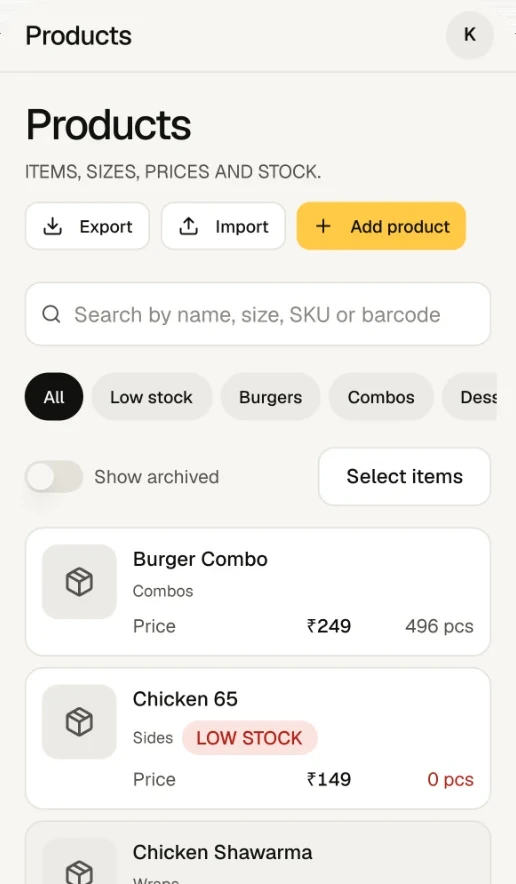
Go to Products, add the item, choose kg as the unit and enter the selling price for 1 kg. Litre (l) and metre (m) work the same way for oil or cloth.
Allow decimal quantity, set minimum and step
Decimal quantity is on by default for kg. The default minimum and step are 0.1 kg; the step is how far the + and − buttons jump. Set a 0.05 kg minimum if you sell 50 g of spices. A weight off the step only shows a warning, so 2.750 kg still bills fine.
Add pack sizes as variants
Sell rice loose and in bags? Add variants such as "1 kg" and "5 kg", each with its own price, cost and stock. The cashier picks the size on the bill. For items whose rate changes daily, like fish or flowers, set the price type to open price: ProTrack asks for today's rate each time.
Weigh and type the weight
On the billing screen, tap the item. Type the weight from your scale in kg (
2.75), or tap the g switch and type2750. Quick buttons add 250 g, 500 g, 1 kg or 2 kg in one tap. Up to three decimals are accepted, which is 1 gram.Check the line and charge
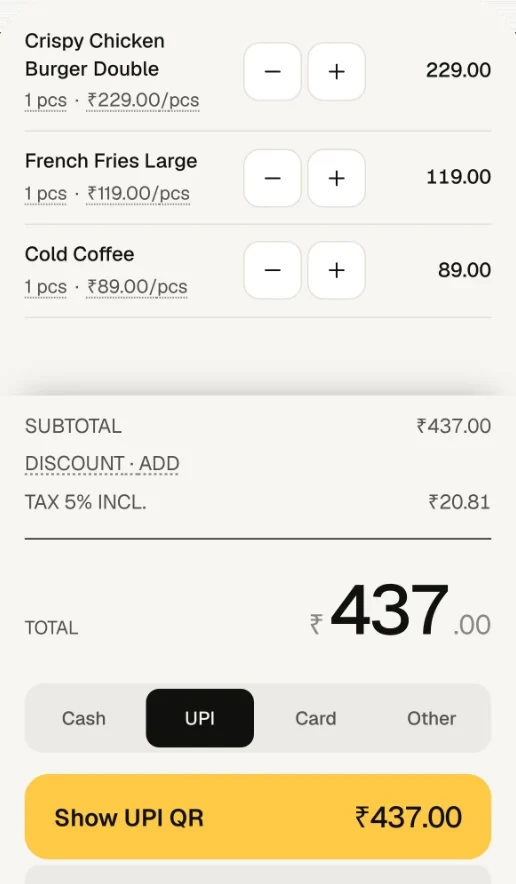
The line shows 2.75 kg × ₹62.00 = ₹170.50. Charge by UPI and the QR is for exactly that total; the printed receipt shows the weight and amount on every line.
Counter checklist for weight billing
- Price every loose item per 1 kg (or per litre), not per 250 g. One rate, fewer mistakes.
- Tare the scale with the bag or box on it before weighing.
- Read the full weight including grams: 2.750 kg, not "about 2¾".
- Round only once per line, and once more for the bill if you use round-off.
- Print or share the bill so the customer sees the weight, the rate and the amount.
Want the customer to pay that exact amount by UPI? See exact-amount UPI QR codes on every bill.
Frequently asked questions
How do I calculate the price for grams when the rate is per kg?
Convert grams to kg by dividing by 1000, then multiply by the price per kg. 750 g at ₹62 per kg is 0.750 × 62 = ₹46.50. Or work in paise: 6200 paise × 750 ÷ 1000 = 4650 paise, which is ₹46.50.
Why does my calculator or spreadsheet sometimes give a total one paisa off?
Computers store decimals like 0.29 approximately, so 0.29 × 100 comes out as 28.999999999999996. Add many such lines and round at the end, and the total can be a paisa off. Working in whole paise and rounding each line once avoids it.
How should a line amount be rounded when it has fractions of a paisa?
Round half up to the nearest paisa, once per line. 1.115 kg at ₹45 is 5017.5 paise, which becomes 5018 paise, ₹50.18. 0.333 kg at ₹33.33 is 1109.889 paise, which becomes ₹11.10.
Can I round the final bill to the nearest rupee?
Yes. In ProTrack, turn on round-off in Settings. The bill total is rounded to the nearest whole rupee, with 50 paise going up, and the round-off of between -49 and +50 paise is printed as its own line.
Can I type the weight in grams instead of kg?
Yes. On the quantity box there is a kg / g switch. Type 1250 in g and ProTrack records 1.250 kg. In kg you can type up to three decimals, so 1.25 and 1.250 are the same.
Does ProTrack read the weight from my electronic scale?
No. ProTrack does not connect to weighing scales. Read the weight off your scale and type it in; quick buttons for 250 g, 500 g, 1 kg and 2 kg cover the common weights.
How do I bill fish or flowers whose rate changes every day?
Set the item as an open price item. ProTrack then asks for today's rate before adding it to the bill, and still multiplies it by the weight you type.
Try it on your own counter
ProTrack is free for one shop. Sign in with Google, add a few products and make your first bill today. Nothing to install from an app store.